Keep Your Mission Online with Simple WordPress Care
Nonprofit website maintenance is not a nice-to-have side task; it is one of the quiet engines that keeps your mission visible, trustworthy, and funded. When your WordPress site works, donors complete gifts, volunteers sign up, and program participants find what they need without frustration. When it breaks, you feel it in real time with lost donations, confused supporters, and scramble-mode staff.
At Black Dog Marketing, we focus on helping purpose-driven and nonprofit brands protect that digital backbone. In this article, we will break down nonprofit website maintenance into clear, non-technical steps your team can actually keep up with. You will see how basic care around hosting, backups, updates, security, performance, and simple routines can prevent emergencies and keep your mission online when it matters most.
Nonprofit website maintenance simply means ongoing care for your site: keeping software updated, protecting it from attacks, checking that it loads quickly, and reviewing content so it stays accurate. Skipping that care carries real risks, like hacked donation forms, broken pages during important campaigns, or slow-loading pages that cause supporters to give up. Our goal is to give you a practical maintenance playbook you can follow yourself or confidently delegate.
Build a Strong Foundation with Smart Hosting and Backups
Solid WordPress hosting is the foundation of reliable nonprofit website maintenance. The cheapest option is rarely the best fit for an organization that depends on online giving, registrations, and awareness. Quality hosting offers stronger security tools, better uptime, faster load times, and support staff who actually understand WordPress, which means fewer surprises in the middle of a campaign.
Backups are your safety net. For a nonprofit site, that means backing up both:
- Files, themes, plugins, and uploaded media
- The database, which stores content, settings, and form entries
A good rule of thumb is to run backups at least weekly, and more often during heavy campaign seasons or when you are publishing frequent content. Store copies offsite, such as secure cloud storage, so a problem with your server does not wipe out your only backup.
Many hosts provide automated backups, and there are reputable WordPress backup plugins that can schedule them for you. The often-missed step is testing. At least a couple of times a year, restore a backup to a staging or test environment so you know the process works before an emergency hits.
Access control is another foundation piece. Use role-based access so staff and vendors only have the permissions they truly need. Limit administrator accounts to a small, trusted group, and remove old logins when people leave or projects end to avoid accidental or malicious changes.
Keep WordPress, Themes, and Plugins Clean and Current
Keeping WordPress core, themes, and plugins updated is one of the simplest and most important parts of nonprofit website maintenance. Updates patch security holes, fix bugs, improve performance, and keep your donation and event tools compatible with each other. Delaying them can leave your site open to attacks or cause surprising conflicts.
A simple update process can look like this:
- If available, use a staging site to test major updates first
- Take a fresh backup of your live site before making changes
- Update WordPress core, then themes, then plugins
- Quickly test key pages, donation forms, and logins after updates
Cleaning out unused themes and plugins helps too. Every inactive add-on is more code that can become vulnerable or conflict with something else. Keep one fallback theme plus the one you actually use, and remove the rest. Uninstall plugins you no longer need instead of just deactivating them.
For key nonprofit functions like donation processing, forms, and CRM integrations, choose plugins that are actively maintained. Look for recent updates, clear documentation, and a history of support responses. Well-supported tools are less likely to break at the worst possible moment, like during a big giving campaign.
Protect Donor Data with Basic Security Best Practices
Security is not just an IT concern for nonprofits; it is a trust issue. Supporters expect their giving pages to be secure, their personal details to be protected, and their information to be handled responsibly. A visible security failure can damage relationships with donors, partners, and the communities you serve.
Start with a few must-have basics:
- An SSL certificate so your site uses HTTPS on every page
- Strong, unique passwords for all user accounts
- Two-factor authentication for administrator accounts
- Limited admin-level accounts, with most users at lower roles
Security plugins and firewalls can add helpful layers by monitoring for malware, spotting suspicious login attempts, and flagging known vulnerabilities. For many nonprofits, a well-configured security plugin plus secure hosting strikes a good balance between protection and simplicity.
It also helps to prepare a simple incident response checklist before you need it. Document who your point people are, who your hosting contact is, how to temporarily disable donations or forms if you suspect a problem, and how your leadership team will communicate transparently with supporters. Planning in advance can turn a potential crisis into a manageable repair.
Improve Speed and Usability for Donors and Supporters
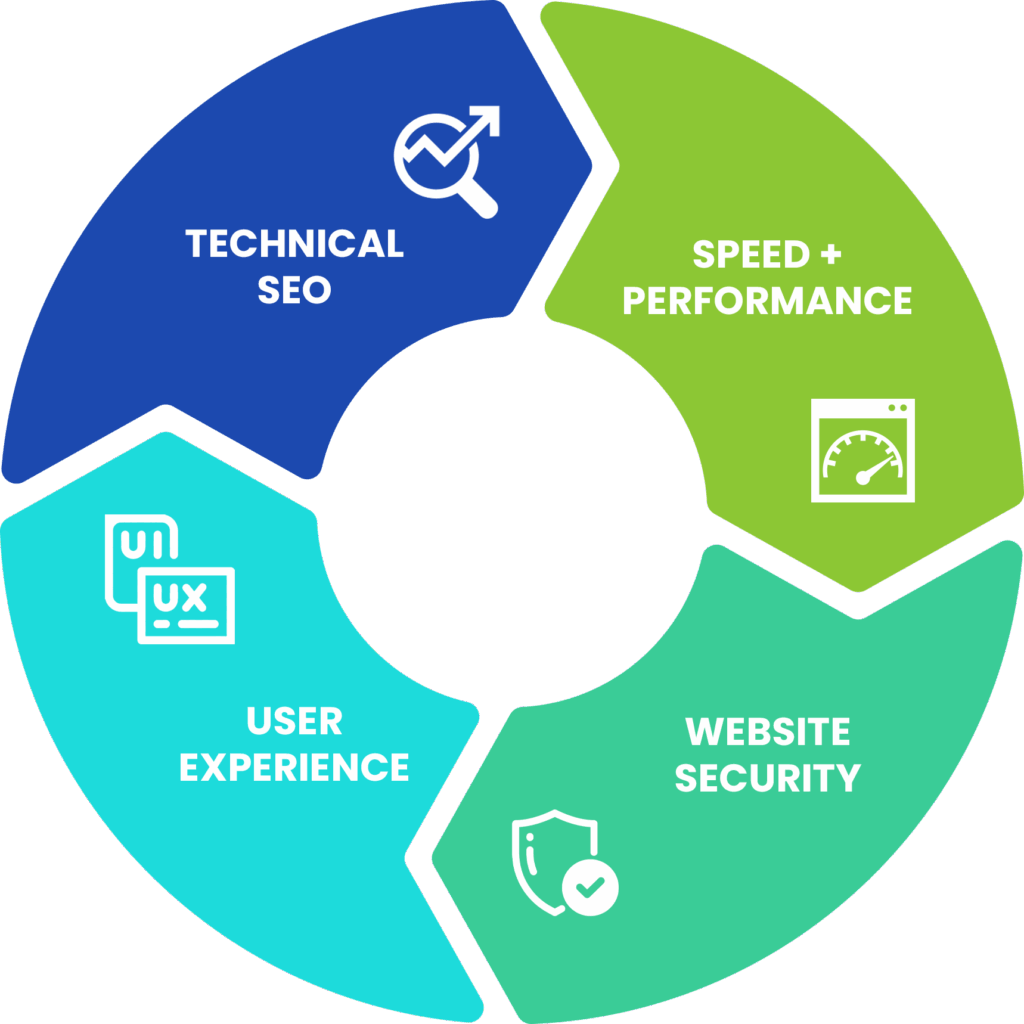
Performance is part of nonprofit website maintenance because slow sites quietly kill conversions. If your pages take too long to load, donors abandon giving forms, volunteers drop out of signup flows, and search engines are less likely to feature your content. In a crowded attention environment, every second counts.
Some straightforward performance tips include:
- Compress and resize images before uploading them
- Use a caching plugin, often provided by your host
- Limit heavy scripts, sliders, and auto-playing media
- Clean up bloated page layouts and extra visual effects
- Remove old tracking codes you no longer use
Usability is the human side of performance. On a regular basis, test your own donation process, volunteer forms, event registrations, and newsletter signup on both desktop and mobile. If you get frustrated or confused, your supporters will too.
Analytics tools can help you spot trouble areas, such as pages with slow load times or high exit rates on critical steps of your donor journey. Prioritize fixes on those pages first so the paths that matter most, like donation and registration flows, stay clear and fast.
Create a Simple Nonprofit Website Maintenance Checklist
The easiest way to keep nonprofit website maintenance from slipping through the cracks is to turn it into a checklist and schedule. That way it becomes routine, not a reactive scramble.
Here is an example of a realistic rhythm:
- Weekly: Run plugin updates, glance over the homepage and a few key pages, confirm that forms are sending notifications.
- Monthly: Review backups, clear spam comments and trash, scan for broken links, and review any security alerts.
- Quarterly: Audit important content for accuracy, run speed tests, review analytics for problem pages, and check mobile usability.
- Annually: Review plugin and theme choices, retire outdated tools, and decide if larger design or content improvements are needed.
Assigning ownership matters. That might be one internal point person, a shared checklist between communications and IT, or a partnership with a WordPress maintenance team that understands nonprofits. Document passwords, hosting details, vendor contacts, and key processes in a secure, shared location so you are not dependent on a single staff member.
Over time, a clear maintenance plan means fewer emergencies, smoother campaigns, and lower repair costs. Most importantly, it protects the digital presence that tells your story, supports your programs, and drives the impact your organization exists to create.
Turn Maintenance Into a Mission-Boosting Habit
When we treat nonprofit website maintenance as strategic, it becomes about far more than patching software. It becomes a habit that protects donations, keeps programs accessible, and makes your storytelling stronger. A healthy site lets your team focus on relationships instead of constant tech fires.
Take a moment to review how you currently care for your site and pick one improvement from this article to implement in the coming month. Maybe that is setting up automated backups, cleaning out old plugins, or writing your first simple maintenance checklist. As your routines mature, you will have a WordPress site that is quieter in all the right ways: reliable, secure, and ready to support your mission through every campaign and season.
Strengthen Your Mission With Reliable Website Care
When your site runs smoothly, your team can focus on impact instead of technical headaches. At Black Dog Marketing, we provide tailored nonprofit website maintenance that keeps your content updated, secure, and performing at its best. Let us handle the behind-the-scenes work so your supporters always have a seamless online experience. Ready to talk specifics? Contact us to put a proactive plan in place.